
Loading content...
HAVE A QUESTION?
Call us : +1-945-209-7691

Learn how to seamlessly upgrade your Angular 15 applications to Angular 18, leveraging new features while ensuring backward compatibility and optimal performance.
Angular 18's rendering engine improvements deliver significant speed gains.
Enhanced build system and improved dependency resolution.
Latest security features and patches for enhanced application protection.
Have a question or need help?
We're here for you.
Loading content...
Let's discuss your project and create a custom web application that drives your business forward. Get started with a free consultation today.



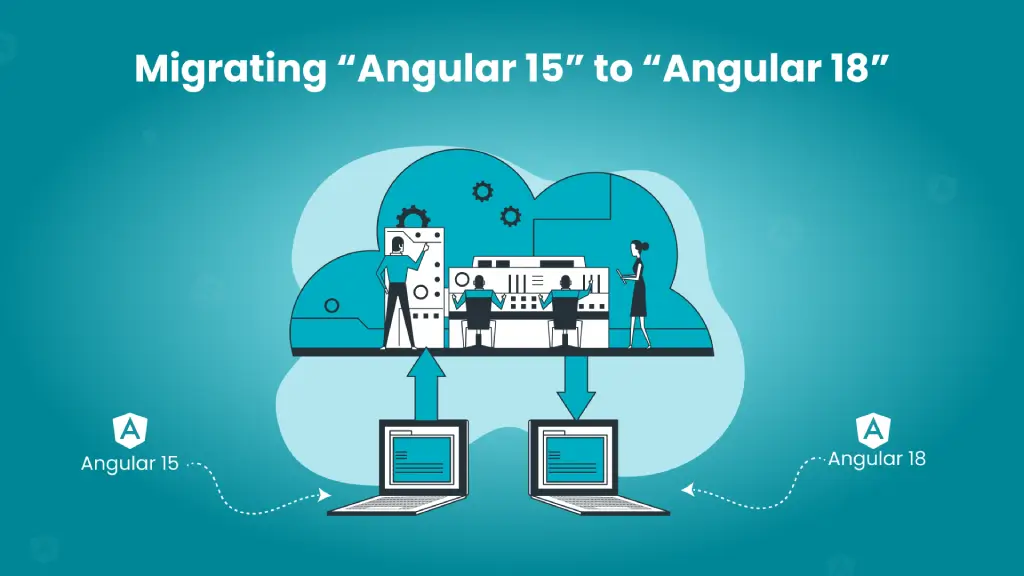
Migrating Angular 15 to Angular 18 is a critical upgrade for modern web applications. This Angular 18 migration guide covers a step-by-step plan, commands, pitfalls, and best practices to help you upgrade safely and improve performance.
A production Angular app throwing intermittent UI refresh bugs the week before a big product demo is more than an annoyance it threatens revenue, timelines, and client trust.
Organizations that stay two versions behind often face this kind of friction: slower builds, harder onboarding for new engineers, and increased security and maintenance costs.
Recent Angular releases (15 → 16 → 17 → 18) delivered meaningful gains in performance, developer ergonomics, and server-side rendering; skipping them delays those benefits and compounds technical debt.
This post walks technical leads and decision-makers through a pragmatic, low-risk path to move from Angular 15 to Angular 18. You'll get:
Angular 16–18 fully matured the standalone components feature, allowing you to declare components, directives, and pipes without wrapping them inside NgModules. This reduces boilerplate and simplifies your project structure.
The new bootstrapApplication API also replaces bootstrapModule for a cleaner and faster bootstrap process. Start by migrating small, non-critical modules and gradually refactor shared and core modules.
1
platformBrowserDynamic().bootstrapModule(AppModule);1
bootstrapApplication(AppModule).bootstrap();Angular 16 introduced strong typing for reactive forms, giving you compile-time safety for form controls and values. This eliminates ambiguity, reduces runtime errors, and improves the developer experience.
1
2
3
const name = new FormControl('');
const form = new FormGroup({ name: name });
const value = form.value.name; // any
1
2
3
const name = new FormControl<string>('', { nonNullable: true });
const form = new FormGroup({ name: name });
const value: string = form.controls.name.value; // strongly typed
With Angular 16+, Zone.js becomes optional, giving developers the power to explicitly control change detection. This leads to better performance and predictable UI updates, especially for complex applications with heavy data loads.
1
2
3
4
5
constructor(private cd: ChangeDetectorRef) {}

someAsyncCallback() {
  this.cd.detectChanges();
}
Router APIs have been refined with updates to navigation, resolvers, guards, and parameter handling. These changes improve the consistency and reliability of routing, though older route logic may need adjustments during the migration.
Server-Side Rendering (SSR) and hydration have been optimized, delivering faster page loads and better user experiences. Alongside this, Angular introduced Signals, a simpler way to handle state reactively without overcomplicating logic with RxJS for local use cases.
1
2
3
4
5
import { signal } from '@angular/core';

const counter = signal(0);
counter.update(value => value + 1);
console.log(counter()); // reactive access
Ahead-of-Time (AOT) compilation and build pipelines have been optimized for faster build times, smaller bundles, and improved runtime performance.
1
ng build --configuration production --aot
Upgrading from Angular 15 to Angular 18 isn't just about running ng update. Each version introduces changes that can affect your application in different ways. Below are the most common challenges teams face during migration, explained in detail with practical mitigation strategies to help you plan and reduce risks.
Third-party libraries don't always update in sync with Angular's release cycle. During migration, you may find that some libraries haven't been tested with Angular 16, 17, or 18. This can lead to compilation errors, runtime issues, or missing features.
Angular 16–18 introduced updates to the Router API that can break existing navigation logic. Common issues include changes in route guards, resolvers, and parameter handling. Code that worked in Angular 15 might suddenly throw type errors or runtime failures after the upgrade.
Add unit tests and integration tests for your routing flows, especially for:
With Angular 16+, Zone.js becomes optional, but many applications still rely on Zone's automatic change detection to refresh the UI after asynchronous events. Removing Zone without auditing your code can lead to unexpected UI bugs where components don't update properly.
Start by auditing your application for areas where automatic change detection is assumed, such as:
Use Angular's ChangeDetectorRef service to trigger manual updates where needed:
1
2
3
4
5
6
7
constructor(private cd: ChangeDetectorRef) {}

fetchData() {
  this.service.getData().subscribe(() => {
    this.cd.detectChanges();
  });
}
If a complete migration isn't feasible right away, keep Zone.js enabled and plan a phased removal later.
Angular 16 introduced typed reactive forms, which enforce strict typing on form controls and groups. While this improves reliability, it also means that any loosely typed code will throw compile-time errors during the migration.
Versions 16 through 18 improved Server-Side Rendering (SSR) and hydration mechanics, which means some older SSR configurations may behave differently. Apps may show content mismatches between server-rendered and client-rendered DOM, leading to rendering errors or broken interactions.
Migrating from Angular 15 to Angular 18 should be done sequentially to minimize risk. Follow this structured workflow to ensure a smooth and reliable migration process.
Before making any code changes, prepare your environment and project:
Document all key versions:
Use npm ls or yarn list to generate a dependency tree.
Capture:
Upgrade one version at a time 15 → 16 → 17 → 18 testing thoroughly after each step.
Run version-specific upgrade commands:
1
ng update @angular/cli@16 @angular/core@16Repeat this process for Angular 17 and 18 in later phases.
After updating, check for lint and build errors:
1
2
ng lint
ng build --configuration productionExecute tests to ensure functionality remains stable:
1
2
ng test --watch=false
ng e2e
If using Cypress or Playwright, run those suites as well.
Once your app is stable on the updated version, repeat steps a–d for Angular 17, then Angular 18, validating each step with tests and builds.
Once the upgrade is complete, validate your codebase locally to ensure everything works as expected.
Run a production build locally to confirm Ahead-of-Time (AOT) compilation is functioning:
1
ng build --configuration production --aotCheck for warnings or deprecated API errors.
Use source-map-explorer to inspect bundle size:
1
npx source-map-explorer dist/<your-app>/*.jsRun Lighthouse locally to compare performance metrics such as First Contentful Paint (FCP) and Time to Interactive (TTI) with pre-migration baselines.
For apps using Angular Universal (SSR):
Run your SSR build locally:
1
npm run dev:ssrTest all critical user journeys in your local build:
Run accessibility audits:
1
npx axe-core-cli http://localhost:4200Or, use Lighthouse's Accessibility report for a quick scan.
Prepare for safe rollbacks if unexpected production issues arise:
Switch back to your pre-migration branch.
Deploy your last stable build artifacts.
Apply any critical fixes on the older version while debugging migration issues.
Let's look at how a large enterprise successfully migrated their application from Angular 15 to 18, resulting in significant improvements across various metrics.
Industry: Financial Services
Application Type: Customer Portal
Codebase Size: 200,000+ lines of code
Team Size: 12 developers
Migration Duration: 6 weeks
Legacy third-party dependencies
Custom form validation system
Complex state management
High-traffic production environment
Incremental updates (15 → 16 → 17 → 18)
Parallel development environments
Automated testing pipeline
Feature toggles for gradual rollout
Performance: 45% faster page loads
Bundle Size: 30% reduction
Memory Usage: 25% improvement
Build Time: 60% faster
| Feature | Angular 15 | Angular 18 |
|---|---|---|
| Component Architecture | NgModule-based | Standalone Components |
| Form Types | Loose typing | Strong typing |
| Change Detection | Zone.js required | Zone.js optional |
| State Management | RxJS-focused | Signals + RxJS |
| Build System | Webpack | Vite/esbuild |
| SSR Support | Basic | Advanced + Hydration |
1
platformBrowserDynamic().bootstrapModule(AppModule);
1
2
3
4
5
import { bootstrapApplication } from '@angular/platform-browser';
import { AppComponent } from './app/app.component';

bootstrapApplication(AppComponent, { providers: [...] });
1
2
3
4
const name = new FormControl('');
const form = new FormGroup({ name: name });
const value = form.value.name; // any
1
2
3
4
const name = new FormControl<string>('', { nonNullable: true });
const form = new FormGroup({ name: name });
const value: string = form.controls.name.value; // strongly typed
1
2
3
4
import { platformBrowser } from '@angular/platform-browser';
import { AppModule } from './app/app.module';

platformBrowser().bootstrapModule(AppModule, { ngZone: 'noop' });
Manual Change Detection:
1
2
3
4
5
6
7
8
9
10
11
12
13
import { signal } from '@angular/core';

export class CounterComponent {
  count = signal(0);

  increment() {
    this.count.update(v => v + 1);
  }

  reset() {
    this.count.set(0);
  }
}1
2
3
4
5
6
7
8
9
10
import { signal, computed, effect } from '@angular/core';

export class CartComponent {
  items = signal<number[]>([100, 250, 50]);
  total = computed(() => this.items().reduce((a, b) => a + b, 0));

  log = effect(() => {
    console.log('Cart total:', this.total());
  });
}1
2
3
import { toSignal } from '@angular/core/rxjs-interop';

total = toSignal(this.cartService.total$, { initialValue: 0 });1
2
3
4
5
6
7
8
9
10
11
12
// main.ts
import { bootstrapApplication, provideClientHydration } from '@angular/platform-browser';
import { AppComponent } from './app/app.component';
import { appConfig } from './app/app.config';

bootstrapApplication(AppComponent, {
  ...appConfig,
  providers: [
    ...(appConfig.providers ?? []),
    provideClientHydration(),
  ],
});1
2
3
4
5
6
7
8
9
10
11
12
13
14
15
// main.server.ts
import { bootstrapApplication } from '@angular/platform-server';
import { provideServerRendering } from '@angular/platform-server';
import { AppComponent } from './app/app.component';
import { appConfig } from './app/app.config';

export default function () {
  return bootstrapApplication(AppComponent, {
    ...appConfig,
    providers: [
      ...(appConfig.providers ?? []),
      provideServerRendering(),
    ],
  });
}1
2
3
4
5
6
7
8
9
10
11
12
13
14
15
16
17
18
19
20
21
import { HttpClient } from '@angular/common/http';
import { inject, Injectable, makeStateKey, TransferState } from '@angular/core';
import { of } from 'rxjs';
import { tap } from 'rxjs/operators';

@Injectable({ providedIn: 'root' })
export class ProductsService {
  private http = inject(HttpClient);
  private state = inject(TransferState);
  private KEY = makeStateKey<any>('products');

  getProducts() {
    const cached = this.state.get(this.KEY, null);
    if (cached) return of(cached);

    return this.http.get('/api/products').pipe(
      tap(data => this.state.set(this.KEY, data))
    );
  }
}
Upgrading from Angular 15 to Angular 18 is more than a technical update it's a strategic investment in stability, performance, and productivity. By migrating sequentially (15 → 16 → 17 → 18), running thorough tests, and maintaining a rollback plan, teams can reduce risk and minimize downtime.
Key upgrades like standalone components, typed reactive forms, Signals, and Zone.js optionality lay the foundation for cleaner architecture, predictable reactivity, and better performance helping your applications run faster and scale seamlessly.
At Moltech Solutions Inc., we specialize in Angular migrations and modernizations for businesses across the USA, Canada, and Europe. Whether you need a full migration plan, performance audits, or incremental upgrades, our experts can help you execute a seamless, low-risk transition that's tailored to your application's complexity.
Moving from Angular 15 to 18 is not just an ng update. Third-party dependencies, routing changes, standalone adoption, typed forms, Signals, Zone.js choices, build tooling, SSR/hydration, and critical user flows can all expose regressions. Moltech Solutions helps teams migrate version by version with compatibility checks, automated testing, production validation, and clean rollback points.
Moltech Solutions can assess dependencies, standalone readiness, typed forms, Signals/RxJS, Zone.js usage, Vite/esbuild, SSR/hydration, tests, and CI/CD. Get a staged 15→16→17→18 migration plan with compatibility checks, production validation, and rollback points instead of a risky one-shot upgrade.
Let's ConnectLet's connect and discuss your project. We're here to help bring your vision to life!