
Loading content...
HAVE A QUESTION?
Call us : +1-945-209-7691

Next.js has firmly established itself as the go-to framework for production-grade React applications by combining hybrid rendering, intuitive routing, and full-stack capabilities.
Hybrid rendering boosts speed with optimal static and dynamic delivery.
File-based routing makes page structure and navigation seamless.
API routes and server functions empower scalable, real-time apps.
Have a question or need help?
We're here for you.
Loading content...
Let's discuss your software, AI, integration, or modernization requirements and identify the right approach for your business. Start with a free consultation with our team.




Next.js has firmly established itself as the go-to framework for production-grade React applications by combining:
With Next.js, Vercel introduces four major game-changers:
In this post, we’ll dive deep into each feature, showing you how to integrate them step-by-step, measure the impact on your metrics, and streamline your end-to-end workflow from code to global edge network.
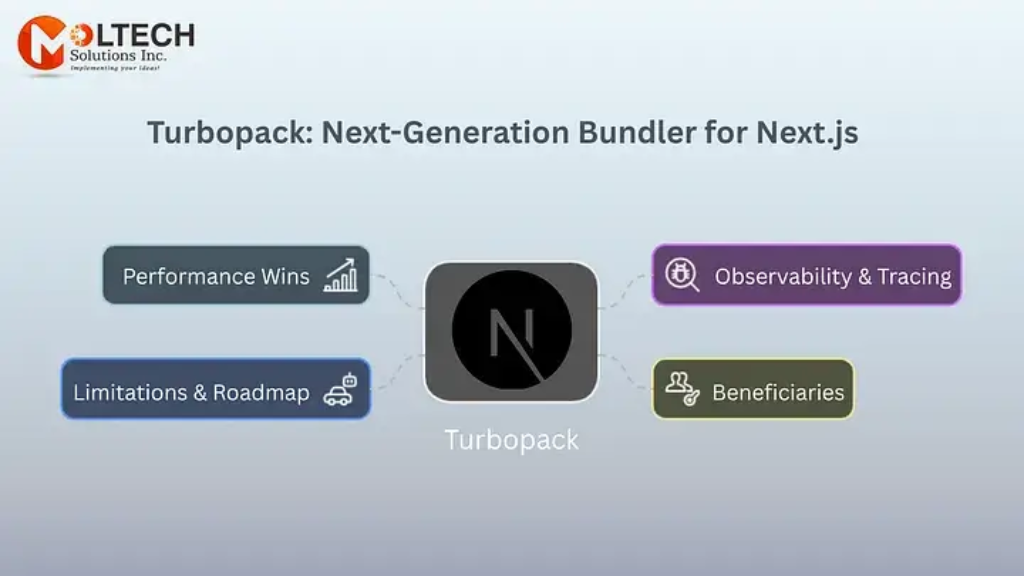
Turbopack is Vercel’s next-generation, Rust-based bundler for Next.js applications. Designed as the official successor to Webpack, it replaces multiple compiler passes with a single, unified pipeline that understands both server and browser targets in one go enabling dramatic speedups in development builds and Hot Module Replacement (HMR).
You can still opt out of Webpack through configuration to continue using it, but Turbopack’s performance benefits make it a compelling default choice.
Turbopack instruments every step of its pipeline, writing lightweight trace files (without including your app code) in .next/trace-turbopack. You can then visualize compile-time hotspots and memory usage with the built-in trace viewer, accelerating deep performance tuning and debugging.
You can get started as follows:
1
2
3
4
"scripts": {
  "dev": "next dev --turbo",
  "build": "next build"
}1
next dev --turbo1
2
3
4
5
6
7
8
// next.config.js
/** @type {import('next').NextConfig} */
const nextConfig = {
experimental: {
turbo: true
}
};
module.exports = nextConfig;For Production is still in alpha Keep an eye on the Next.js release.
Frontend Teams at Scale: Projects sharing code across packages Turbopack’s incremental graph means changes in one package don’t force a full repo rebuild.
Full-Stack Developers: The unified server/client pipeline simplifies keeping API routes, edge functions, and UI in sync without juggling separate toolchains.
Enterprises & Agencies: Teams deploying on tight schedules or frequent release cycles; faster CI builds and dev iteration accelerate time-to-market.
Vercel & Edge-First Projects: When you want to leverage Vercel’s remote caching and edge functions, Turbopack’s cache persistence slashes both local and cloud build times.
Webpack Compatibility
Turbopack doesn’t support raw webpack()configs, though most common loaders and resolve aliases work out of the box. Exotic Webpack child compilers or file-emitting plugins may not yet be supported.
CSS & Sourcemaps
Switched from PostCSS to Lightning CSS for speed; uses section-based sourcemaps to avoid eval-based maps while still enabling granular mapping.
Upcoming Optimizations
Export name mangling, scope hoisting, and production-optimized JS chunking are in progress promising even smaller bundles and faster load times in future releases.
To explore more about Turbopack, you can read the following blog published by the Next.js team.
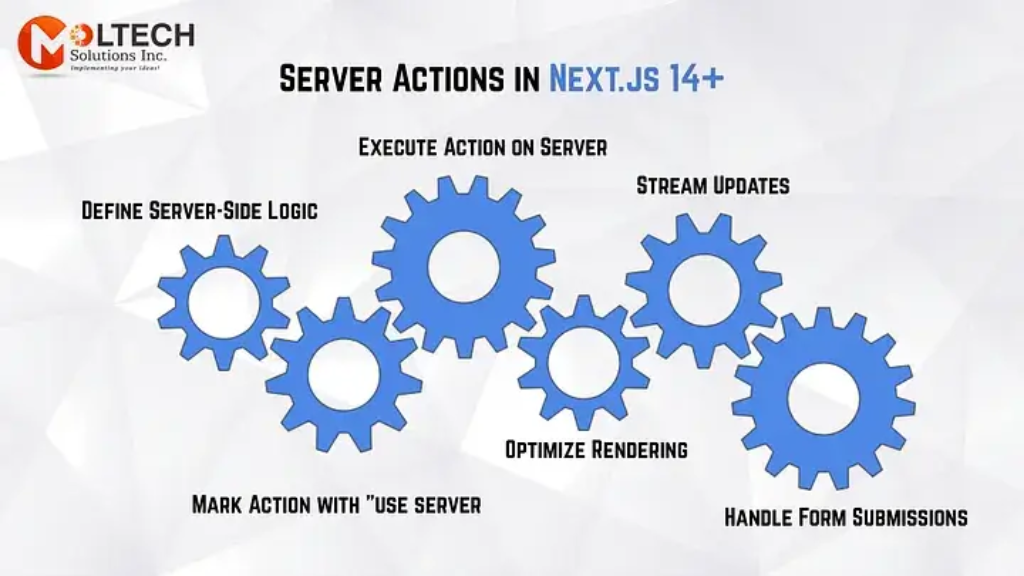
Server Actions, which were introduced as an experimental feature in previous versions, are now officially stable and production-ready inNext.js 15.0 onwards. This feature allows you to define server-side functions directly in your components, making form submissions and data mutations more straightforward and secure.
Gone are the days of separate API folders and custom endpoints. Server Actions let you define functions that run on the server, but invoke them directly from your React components:
Server Actions are simply async functions marked with the"use server" directive that always executes on the server, but can be invoked directly from your React componentswhether Server or Client components without you having to write any separate API route orfetch boilerplate.
Defining Server Action in a Client Component:
1
function addToCart(itemId: string, quantity: number) { … }1
2
'use client'
import { addToCart } from './actions'1
2
3
4
5
6
7
8
9
export default function ProductForm() {
return (
<form action={addToCart}>
<input name="itemId" value="123" hidden />
<input name="quantity" type="number" defaultValue={1} />
<button type="submit">Add to Cart</button>
</form>
)
}We can also be called additionally from the function on the addItem action.
1
2
const addItem = addToCart.bind(null, '123')
// Now <form action={addItem}> only needs quantity in its form fieldsWe can define inline in a Server Component as shown below.
1
2
3
4
5
6
export default function Page() {
async function logout() {
'use server'
await auth.signOut()
}
}1
2
return <button onClick={logout}>Log out</button>
}To run Server-only: action:
1
2
3
4
5
export async function createUser(formData: FormData) {
// runs on the server only
const user = await db.user.create({ data: Object.fromEntries(formData) })
return user
}In short, Server Actions deliver a supremely smooth, zero-boilerplate way to co-locate your UI and server logic but only when your data needs and runtime constraints fit within their streamlined model. When you need fine-grained HTTP control, non-serializable inputs, or heavy compute, classic API routes and edge functions still have your back. Mix and match both approaches, and you’ll get the best ofNext.js’s full-stack flexibility.
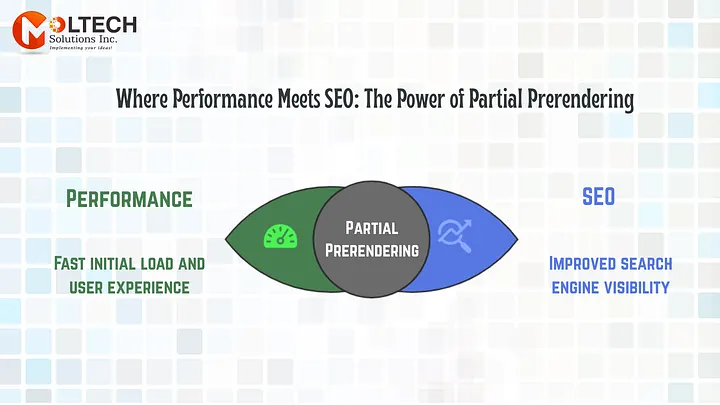
Partial Prerendering (opt-in, experimental) streams a minimal HTML shell first, then progressively hydrates dynamic regions. Benefits include:
Partial Prerendering (PPR) is an experimental rendering strategy introduced inNext.js 15 that lets you combine static and dynamic content within the same route. Instead of choosing “all static” or “all dynamic,” you can prerender the shell of your page at build time layouts, navigation, static widgets and defer only the truly dynamic pieces (user-specific data, real-time feeds) until request time.
You can enable PPR by adding the ppr option to yournext.config.ts file:
1
2
3
4
5
6
7
8
9
import type { NextConfig } from 'next'
const nextConfig: NextConfig = {
experimental: {
ppr: 'incremental',
},
}
export default nextConfig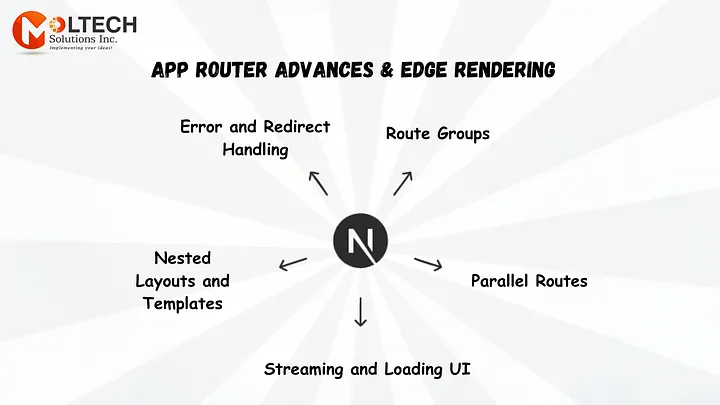
Here’s an example showing how you might use Partial Prerendering to deliver SEO-critical content (meta tags, headings, core copy) at build time, while deferring non-essential or personalized sections to runtime:
1
2
3
4
5
// app/blog/[slug]/page.tsx
import { Metadata } from 'next';
import { Suspense } from 'react';
import fetchPost from '@/lib/fetchPost';
import fetchComments from '@/lib/fetchComments';1
2
3
4
5
6
7
8
9
10
11
12
13
14
15
16
17
18
19
20
21
22
23
24
25
26
27
28
29
30
31
32
33
34
35
36
37
38
39
40
41
42
43
44
45
46
47
48
49
50
51
52
interface Params { params: { slug: string } }
// Generate static SEO metadata at build time
export async function generateMetadata({ params }: Params): Promise<Metadata> {
const post = await fetchPost(params.slug);
return {
title: post.title,
description: post.excerpt,
openGraph: {
title: post.title,
description: post.excerpt,
images: [post.coverImage],
},
};
}
// Main page component
export default async function BlogPage({ params }: Params) {
const post = await fetchPost(params.slug);
return (
<>
{/* SEO tags rendered into the <head> at build time */}
<article className="prose lg:prose-xl mx-auto py-8">
<h1>{post.title}</h1>
<p className="text-gray-600">{post.publishedAt}</p>
<div dangerouslySetInnerHTML={{ __html: post.content }} />
</article>
{/* Comments loaded at request time via PPR */}
<Suspense fallback={<p className="mx-auto text-center py-4">Loading comments…</p>}>
<Comments slug={params.slug} />
</Suspense>
</>
);
}
// Dynamic Comments component
async function Comments({ slug }: { slug: string }) {
const comments = await fetchComments(slug, { cache: 'no-store' });
return (
<section className="mx-auto max-w-2xl py-8">
<h2 className="text-2xl font-semibold mb-4">Reader Comments</h2>
<ul>
{comments.map(c => (
<li key={c.id} className="mb-2">
<strong>{c.author}</strong>: {c.text}
</li>
))}
</ul>
</section>
);
}Deferred Non-Critical UI
Comments useful for user engagement but not for SEO are loaded after the shell streams, so they don’t block or bloat your initial HTML payload.
Instant First Paint
Bots (and users) get the fully-formed article shell right away, improving Core Web Vitals like First Contentful Paint (FCP) and Largest Contentful Paint (LCP).
To understand it in detail, you can refer to and explore the following blog from Next.js.com
The App Router gets smarter in v14. The App Router has been enhanced with:
Route Groups let you organize your folder structure for clarity without affecting the URL path. This is ideal for splitting codebases by feature or team, while keeping public-facing routes clean.
1
2
3
4
5
6
app/
(marketing)/ ← “marketing” is a group, not part of the URL
page.js → served at “/”
about/page.js → served at “/about”
(dashboard)/ ← admin code separated into its own group
page.js → served at “/dashboard”Parallel Routes enable rendering multiple “slots” in the same URL segment, such as a sidebar, map, or notifications panel alongside your main content.
1
2
3
4
5
6
7
8
app/
└── dashboard/
├── layout.js ← your shared layout
├── page.js ← the default “children” slot
├── @analytics/ ← “analytics” slot
│ └── page.js ← rendered into the `analytics` prop
└── @team/ ← “team” slot
└── page.js ← rendered into the `team` prop1
2
3
4
5
// app/dashboard/layout.js
export default function DashboardLayout({ children, analytics, team }) {
return (
<div className="dashboard">
<section className="main">{children}</section>1
2
3
4
5
6
7
8
9
10
11
<aside className="analytics">
<h2>Analytics</h2>
{analytics}
</aside>
<aside className="team">
<h2>Team</h2>
{team}
</aside>
</div>
)
}1
2
3
4
// app/dashboard/@analytics/page.js
export default function Analytics() {
return <div>📈 Site traffic, charts, key metrics…</div>;
}1
2
3
4
// app/dashboard/@team/page.js
export default function Team() {
return <div>👥 List of team members, roles, avatars…</div>;
}1
2
// anywhere in your dashboard UI
import Link from 'next/link';1
2
3
4
5
6
7
8
9
10
11
12
13
14
15
16
17
// anywhere in your dashboard UI
import Link from 'next/link';
export default function DashboardNav() {
return (
<nav>
{/* Changes only the analytics slot */}
<Link href="/dashboard/@analytics/views">View Analytics</Link>
{/* Changes only the team slot */}
<Link href="/dashboard/@team/list">Team Directory</Link>
</nav>
);
}
// Use <Link> or router.push() as usual Next.js will swap out only the
// slot that corresponds to the new route, leaving other slots intactFor more information, you can click on Parallel Routes in Next.js.
@ for each slot you want to render in parallel.Built on React 18’s streaming Suspense, Next.js lets you ship partial HTML as soon as each segment is ready rather than waiting for the entire tree.
1
2
3
4
app/
products/
loading.js ← shows while product list is fetching
page.js ← streams in as soon as data a1
2
3
4
5
6
7
'use server'
async function fetchProducts() { … } // Use hook to get data
export default async function ProductsPage() {
const products = await fetchProducts()
return <ProductList products={products} />
}In client components you can:
1
const products = use(fetchProducts())Error Boundaries: Drop an error.js file alongside any page.js or layout.js to scope error handling:
1
2
3
4
5
6
7
8
9
app/
dashboard/
error.js ← catches errors in dashboard subtree
page.js
// app/dashboard/error.js
export default function DashboardError({ error }) {
return <div>Oops! {error.message}</div>
}Redirect Helpers: Programmatic redirects from Server Components no more res.writeHead or getServerSideProps:
1
2
3
4
5
6
app/
layout.js ← root layout (header, footer)
dashboard/
layout.js ← wraps dashboard pages (sidebar)
page.js
about/page.jsWe can have different layouts based on route groups. In the above example:
In Next.js 15, a template.js file behaves similarly to a layout it wraps child pages or layouts but with one crucial difference: it remounts on every navigation, giving you a fresh component instance (and state) each time.
This makes templates ideal for per-page side-effects and UI that intentionally resets between routes.
Create template.js alongside your page.js or layout.js
Place template.js in any route folder:
1
2
3
4
5
6
app/
└── blog/
    ├── layout.js        ← shared shell (persists across pages)
    ├── template.js      ← remounts on each blog page navigation
    └── [slug]/
└── page.js ← your individual1
2
3
4
5
6
7
8
9
10
// app/blog/template.js
export default function BlogTemplate({ children }) {
  // runs on every navigation to a new blog page
  console.log('Template mounted')
  return (
    <div className="blog-template">
      {children}
    </div>
  )
}You can also explore more detail on https://nextjs.org/blog/next-14.
Next.js represents a significant step forward in the evolution of React frameworks. With stable Turbopack, mature Server Actions, revolutionary Partial Prerendering, and numerous other improvements, this release sets a new standard for web application development.
Whether you’re building a small personal project or an enterprise-grade application,Next.js provides the tools and optimizations needed to deliver exceptional user experiences with developer-friendly workflows.
Turbopack, Server Actions, App Router advances, and Partial Prerendering can improve build speed, data mutations, rendering, and SEO. But compatibility gaps, experimental features, cache behavior, and migration choices can create regressions. Moltech Solutions helps teams adopt Next.js 15 where it improves Core Web Vitals, developer velocity, and maintainability.
Moltech Solutions can review App Router migration, Turbopack compatibility, Server Actions, PPR, caching, Core Web Vitals, SEO, testing, and deployment. Get a phased Next.js 15 modernization plan that improves build speed and user experience without introducing avoidable migration risk.
Let's Connect